Litematica Guide
Complete walkthrough for installing and using Litematica on Android Minecraft.
What you’ll need
- ZalithLauncher2 or a prepared Android Minecraft client (latest recommended build)
- Minecraft Java Edition on Android
- Fabric Loader (required by Litematica)
- Litematica .jar and its dependency Malilib .jar
- A file manager for Android such as Files, ZArchiver, or MT Manager
Install Litematica and Malilib
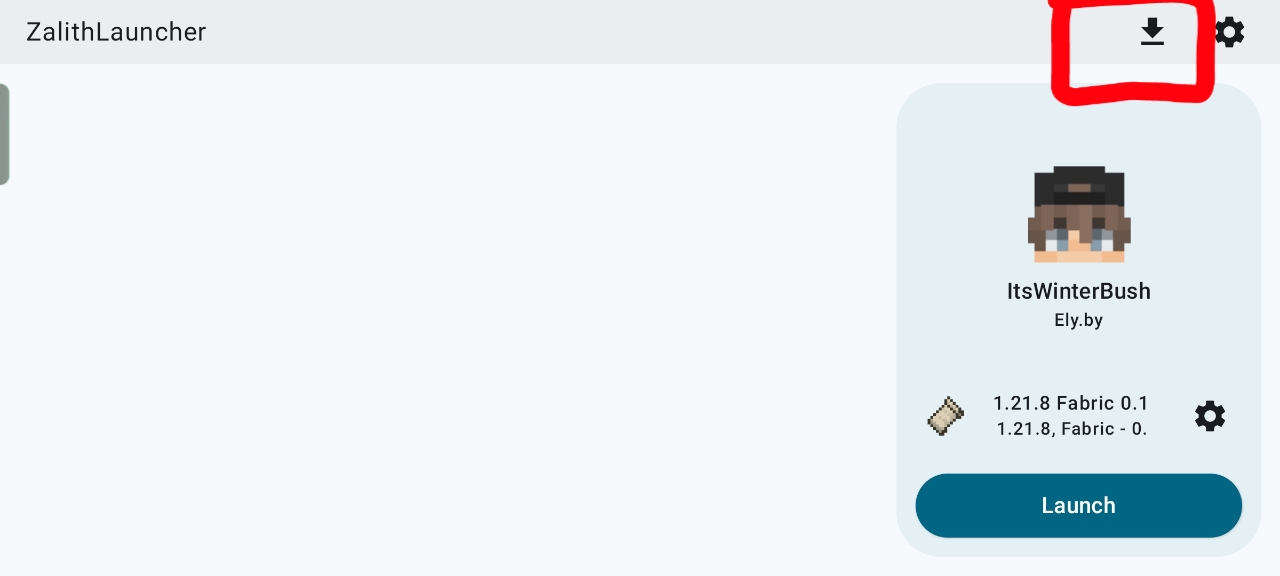
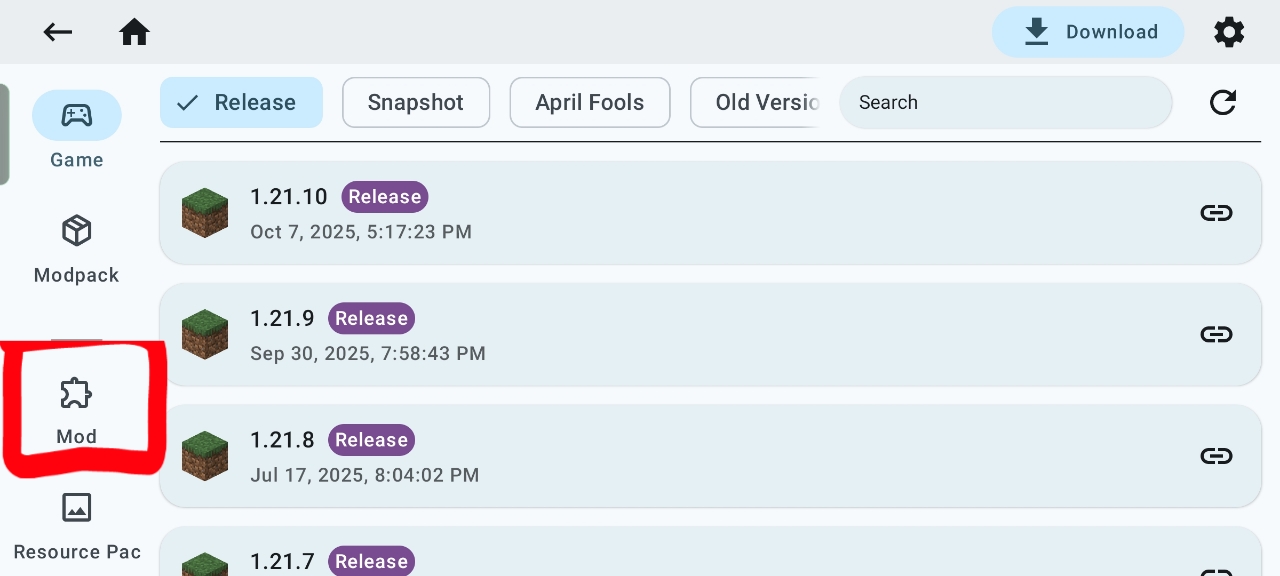
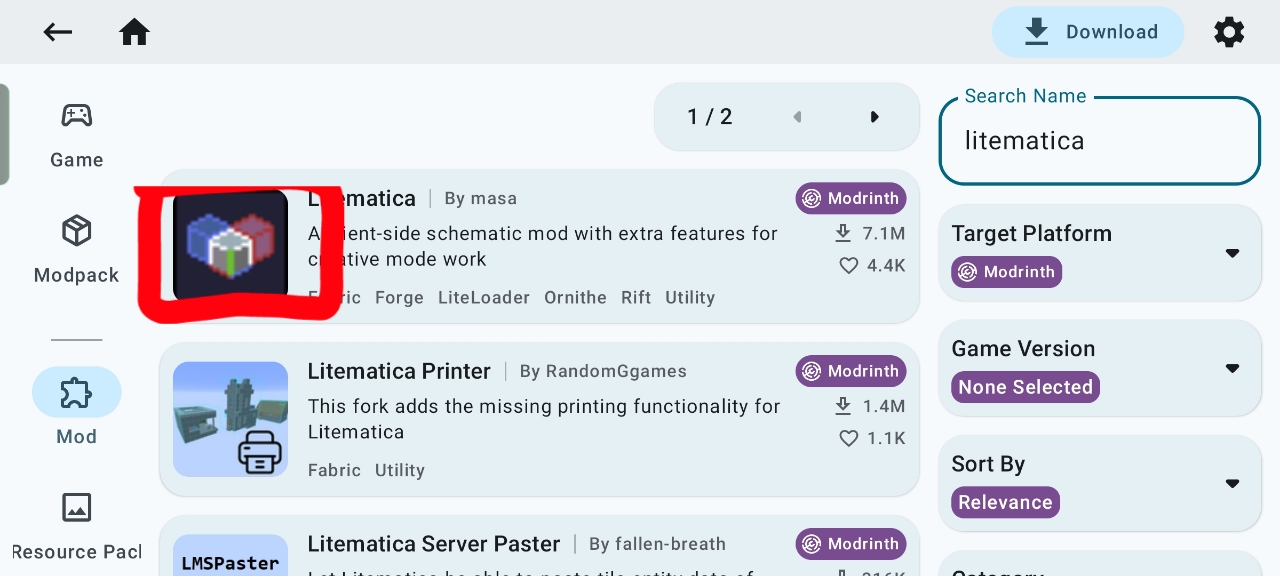
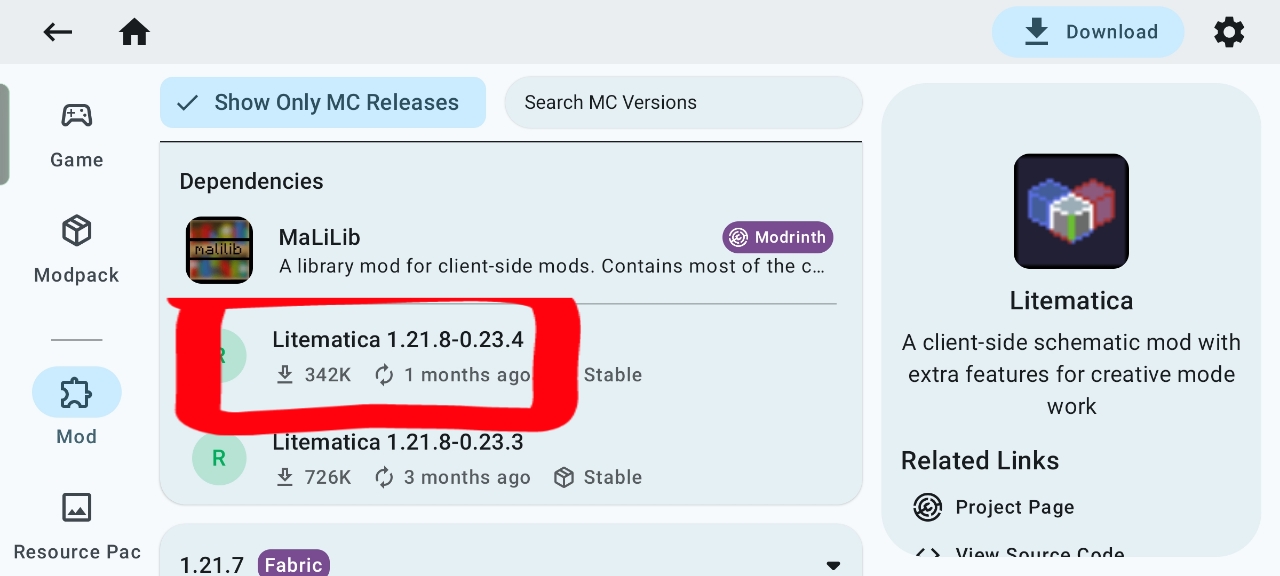
Open ZalithLauncher2, go to the download area, search for Litematica with the version matching your Fabric build, and install it. Then install Malilib as the required dependency.
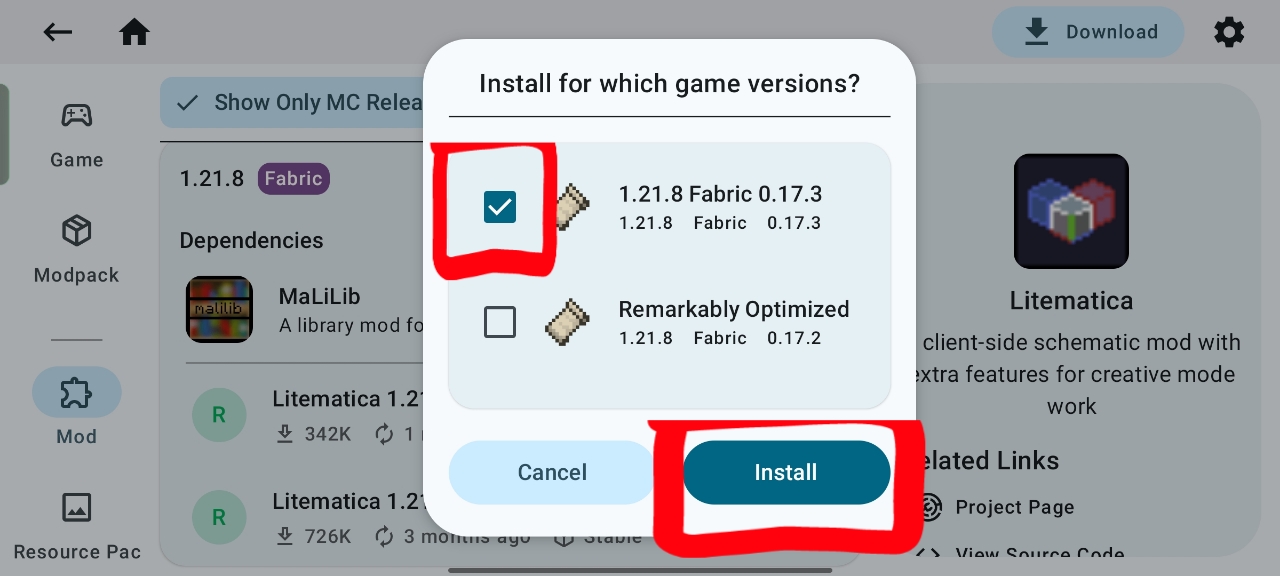
Put schematics in the right folder
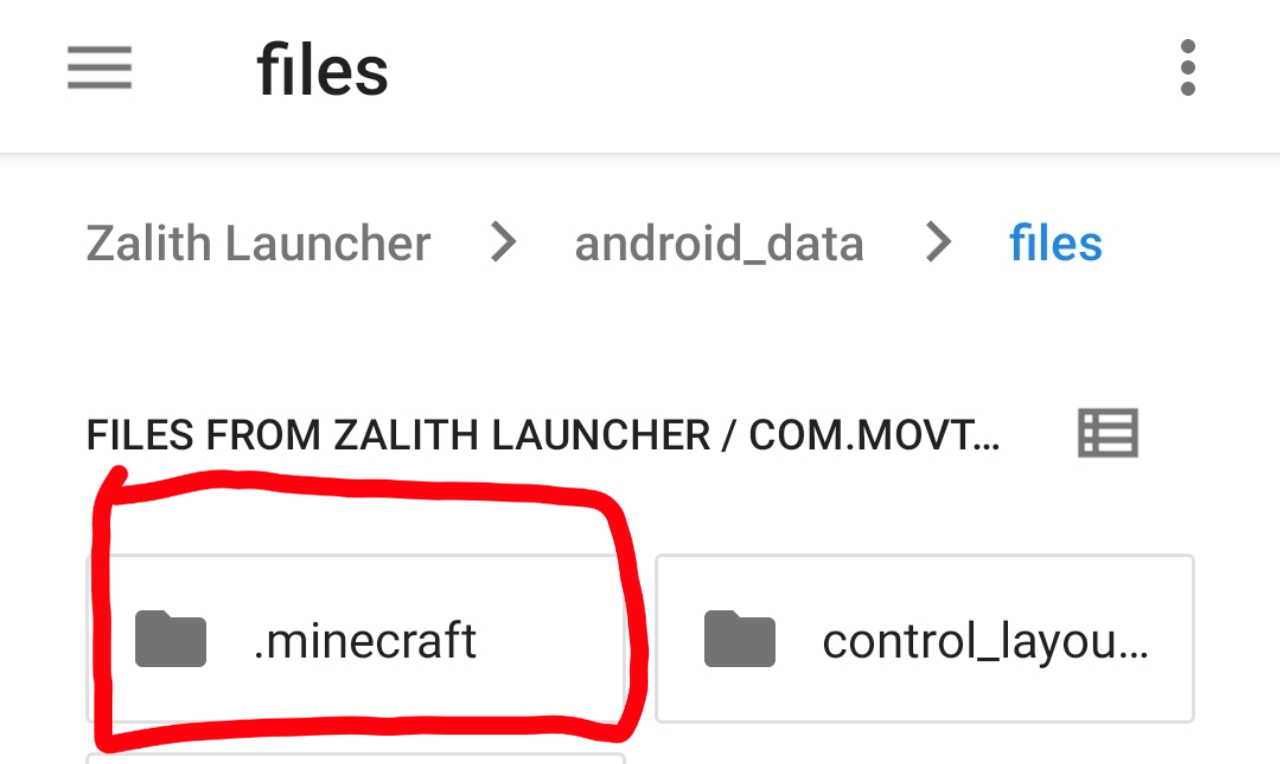
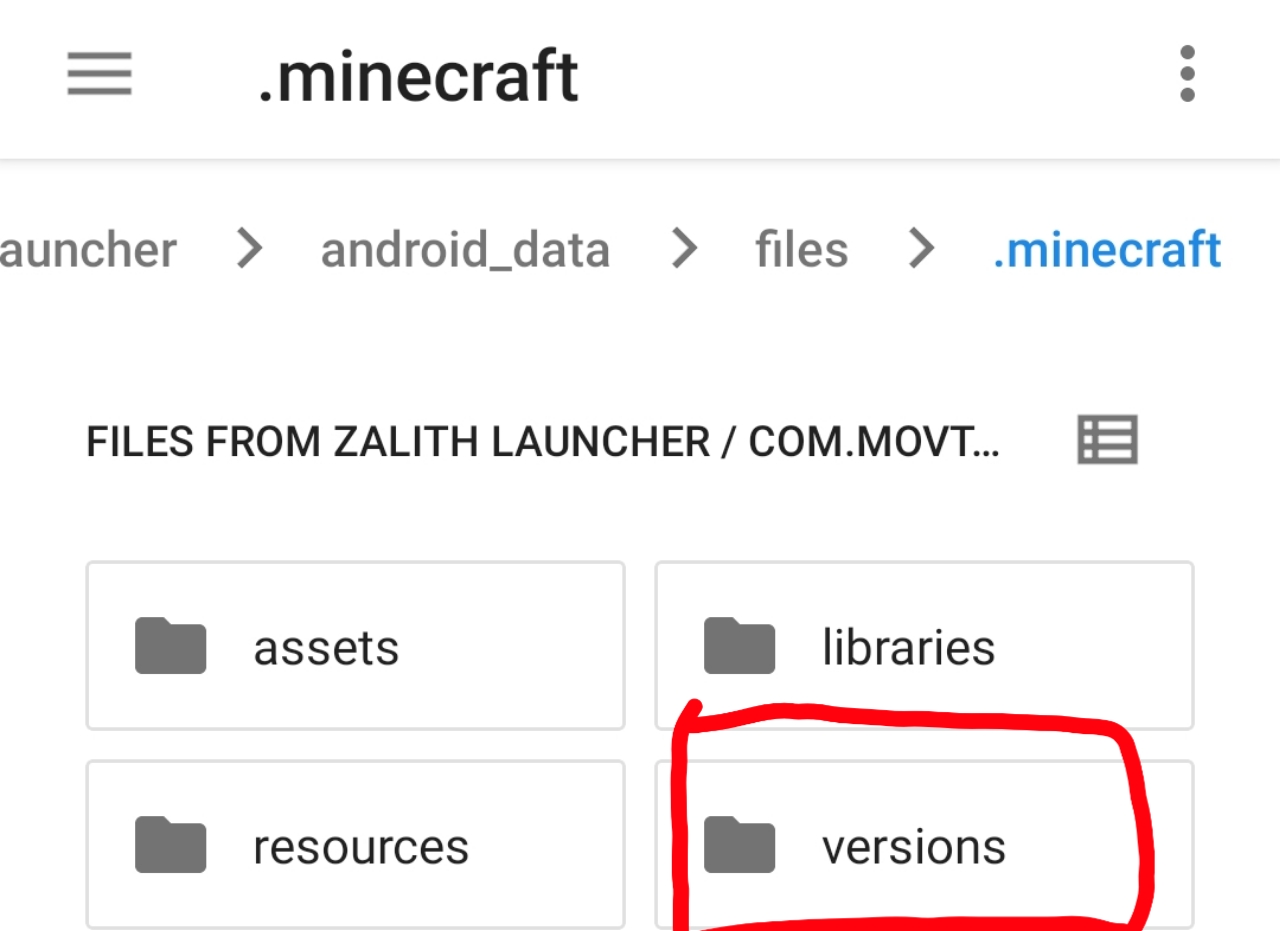
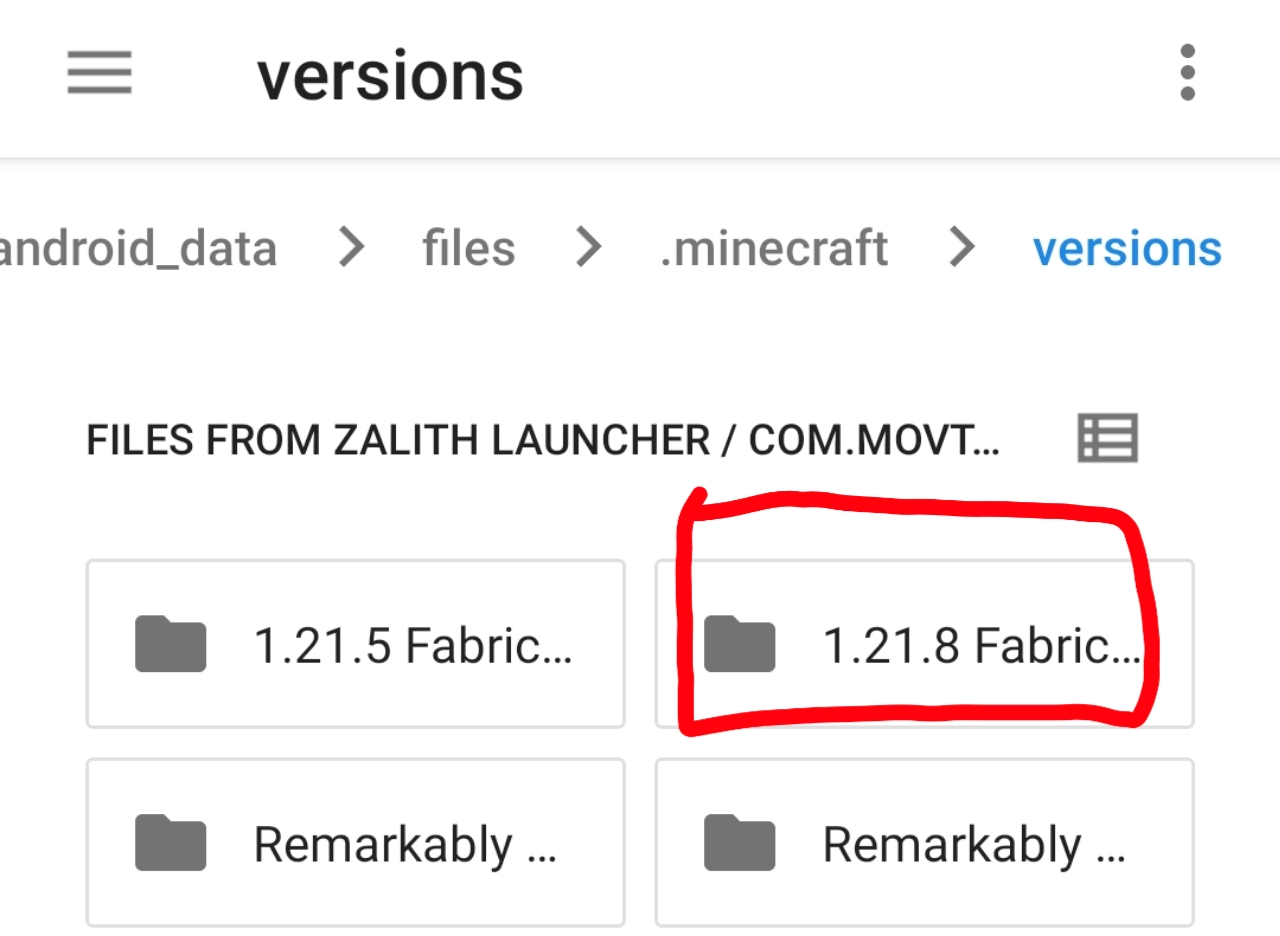
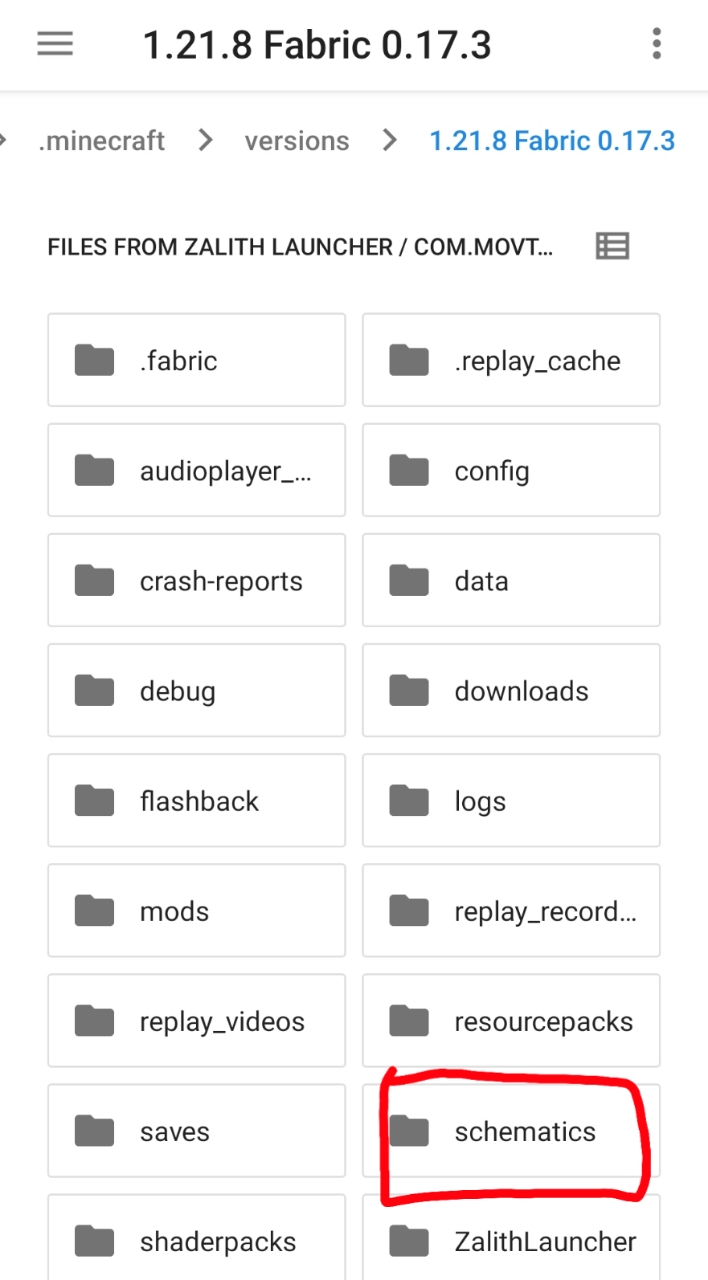
Launch the game once, then open your file manager and navigate to android_data ➤ files ➤ .minecraft ➤ versions ➤ [your Fabric version]. Add your downloaded .litematic or .schem files into the Schematics folder.
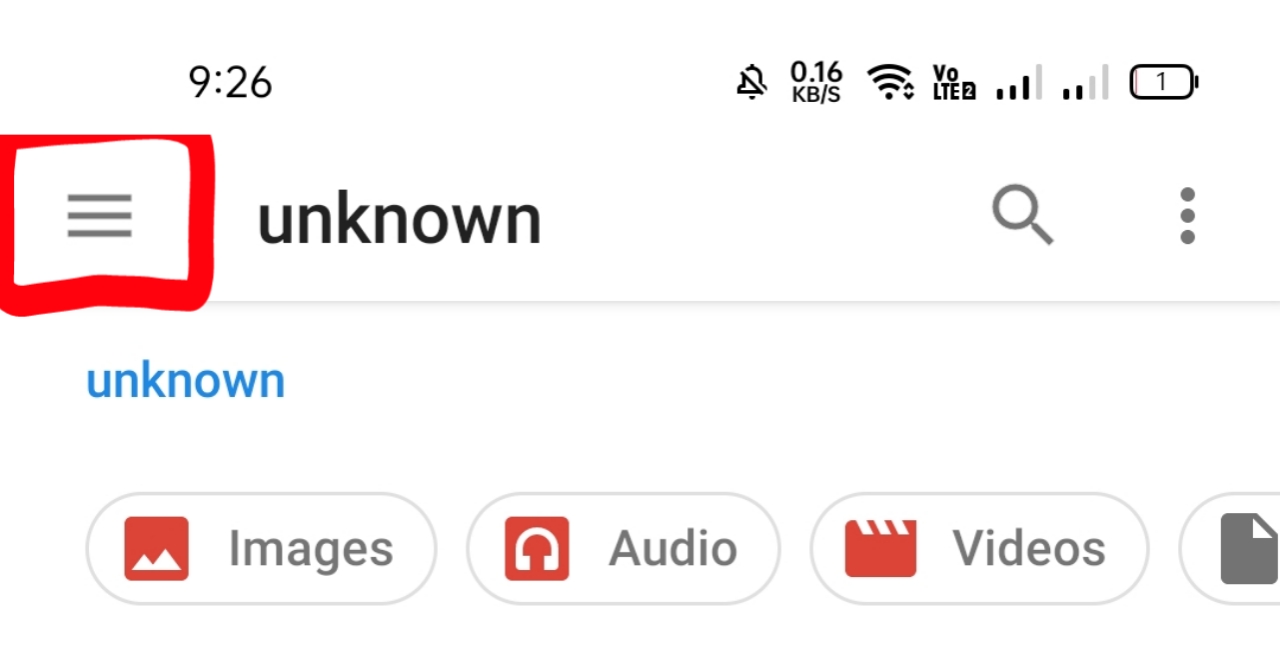

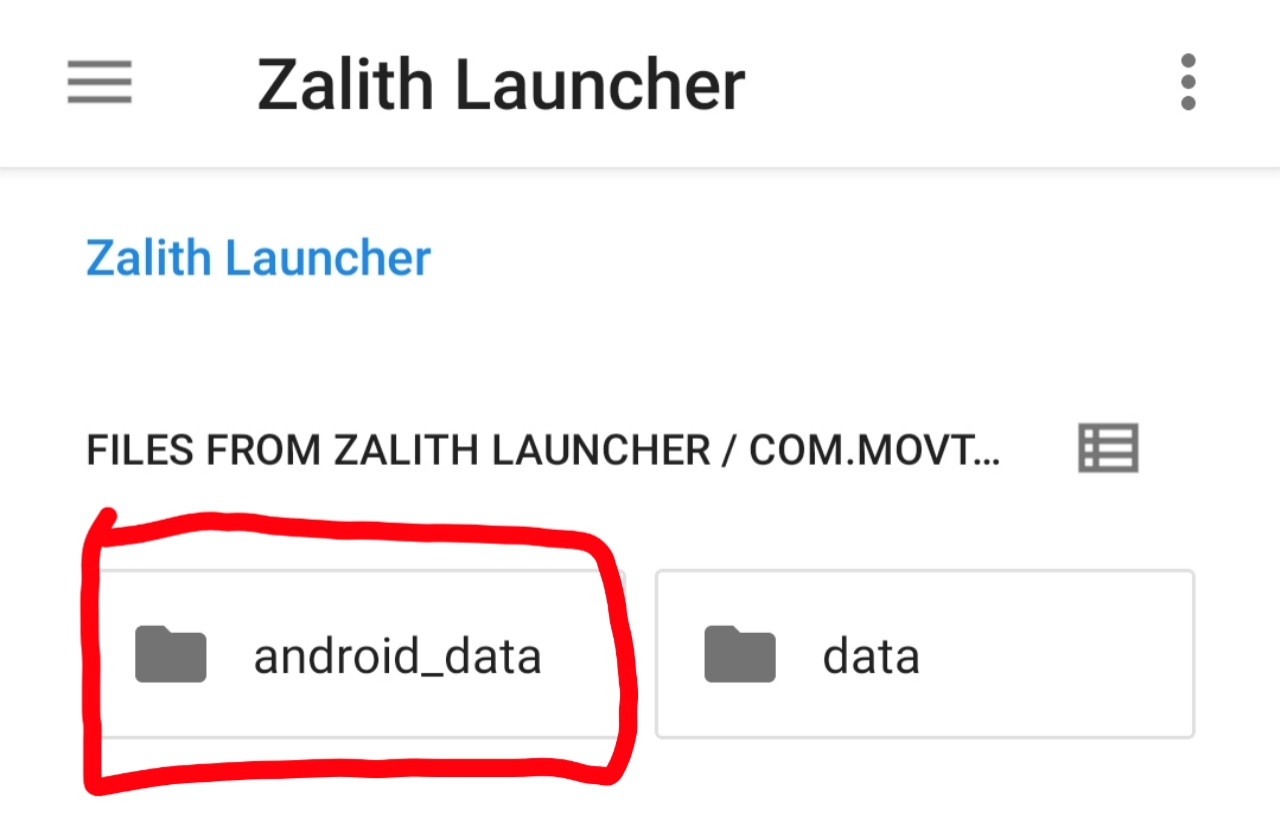
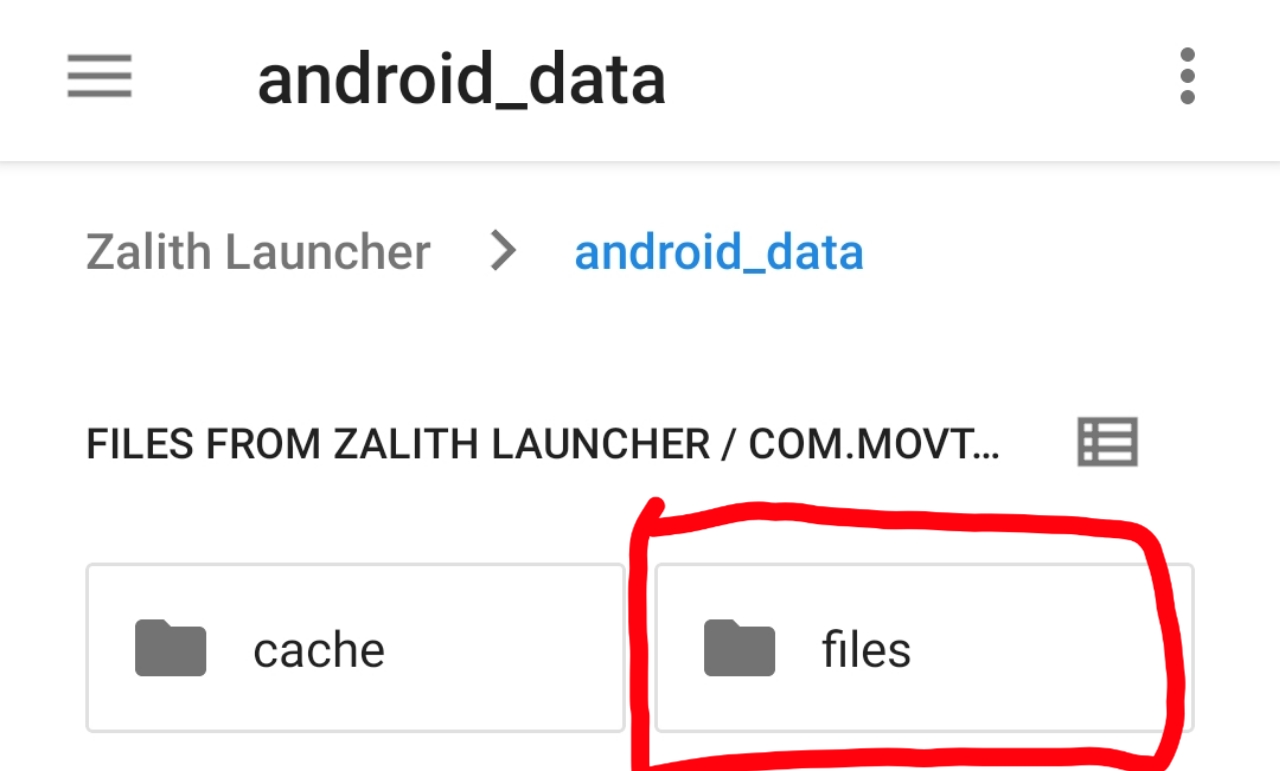
Load the schematic in-game
Press M in the game controls to open the Litematica menu, choose Load Schematics, then select the file you added.
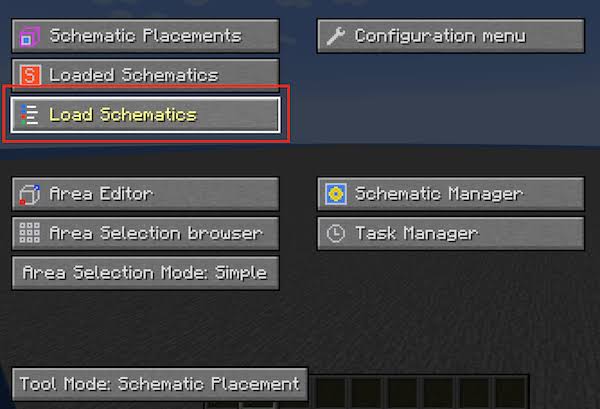
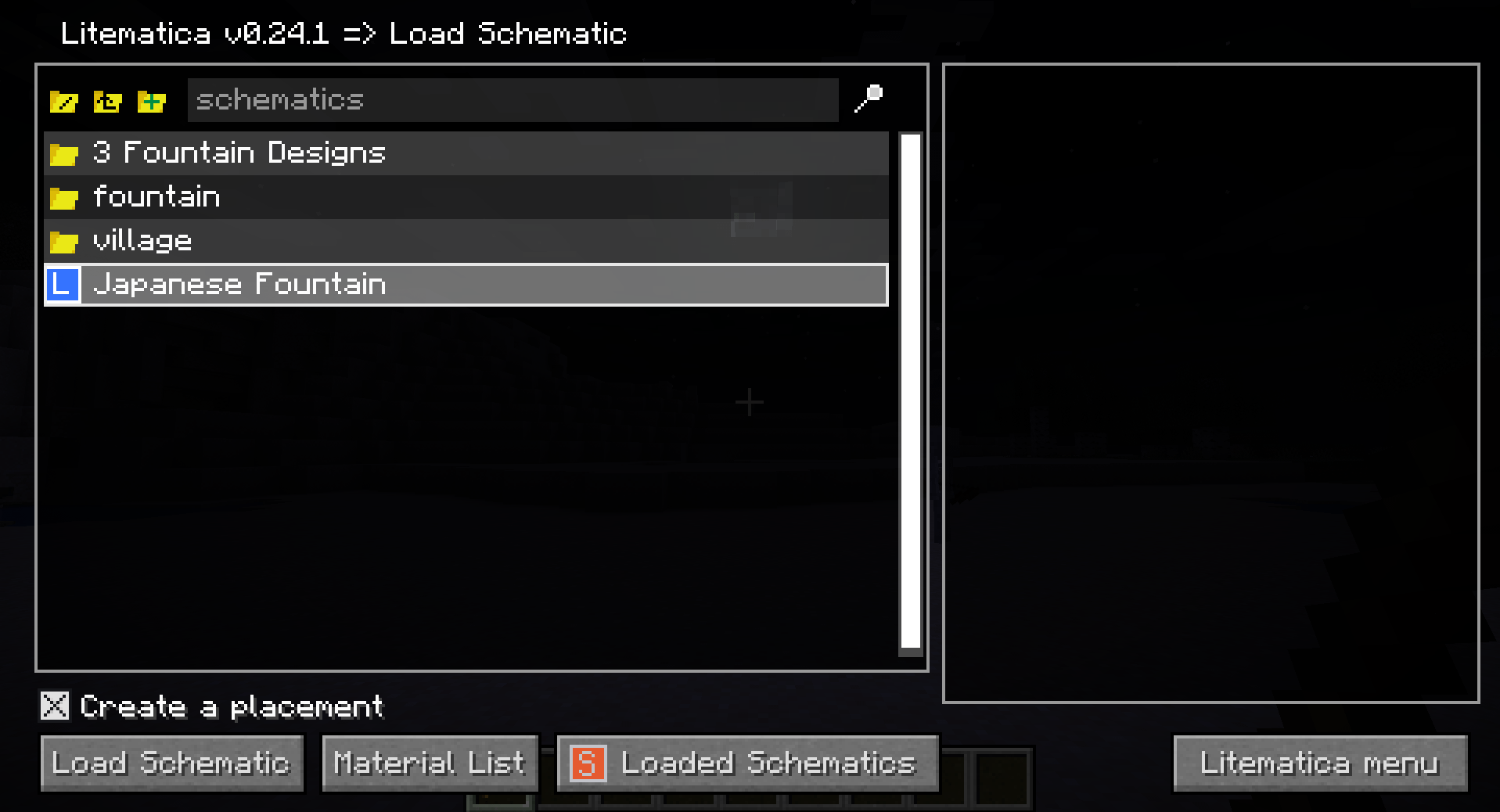
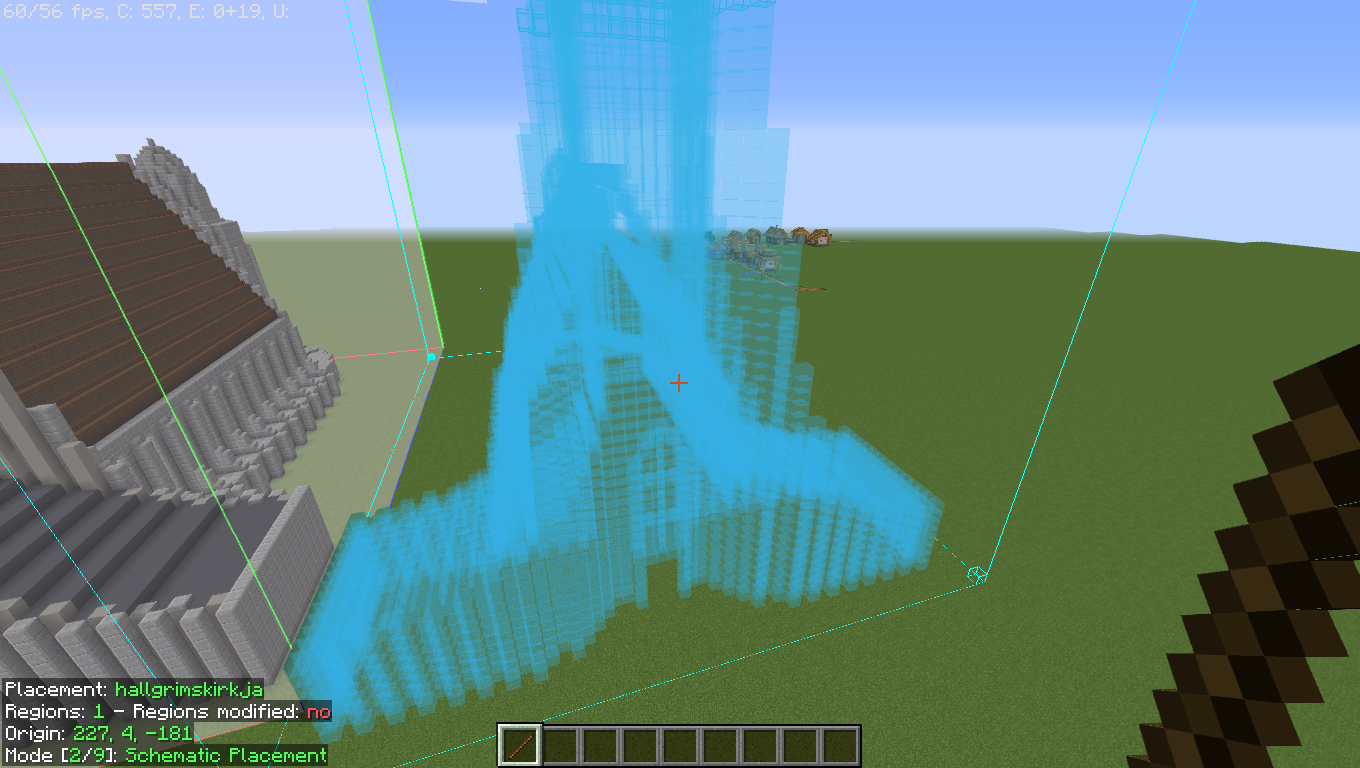
After loading, press Escape, equip a stick, and click the ground to move the schematic into place.
Unload schematics when done
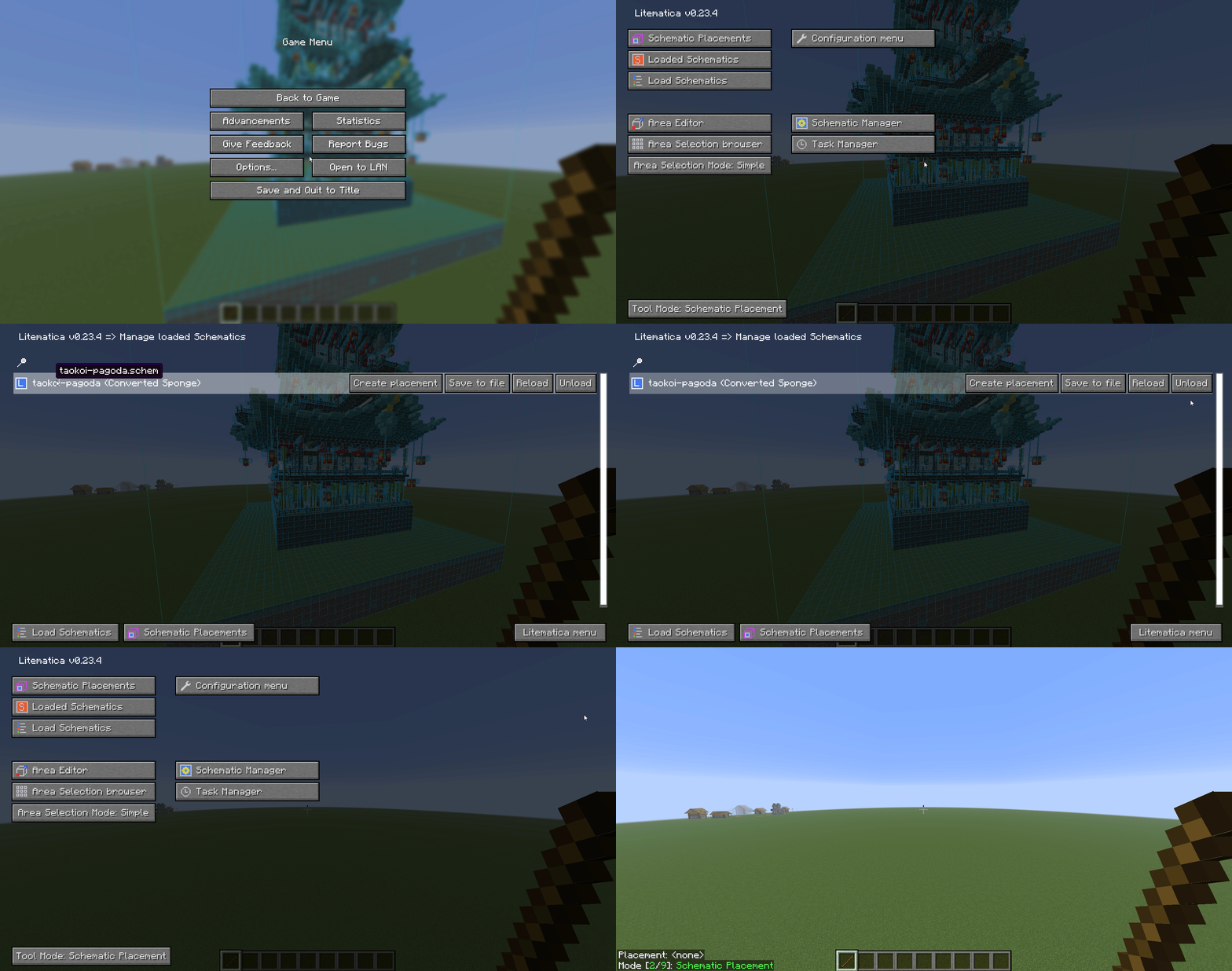
Open the Litematica menu with M, go to loaded schematics, and choose Unload to remove the current schematic.
Notes & tips
- Litematica requires Fabric and will not work on Forge.
- If large schematics slow your device, lower render distance and disable fancy graphics.
- Try performance mods like Iris + Sodium if they are compatible with your setup.
Need more help?
If the schematic does not appear, double-check the file path and Minecraft version, then reload the game.
Back to Guides